Database Backups
You can back up your databases managed by Appliku through the dashboard. Backups can be stored on the server or uploaded to S3-compatible storage.
Cluster vs. Standalone Backups
Backups for standalone datastores run a one-shot container on the chosen backup server, attached to the local applications Docker network. The backup server must be the same server that hosts the datastore when the connection mode is private_connection_url.
Backups for cluster-deployed datastores run a one-shot container attached to the cluster's proxy overlay network, so they can run on any active, set-up server in the same cluster — not necessarily the DB-pinned node. The backup server selector is validated to enforce this. Local backup artifacts and S3 uploads still happen on whichever server runs the cron job, so changing the backup server reschedules the cron on the new server and removes the stale cron entry from the previous one.
How to Back Up a PostgreSQL Database
- Open the Appliku dashboard
- Go to your application that has a database
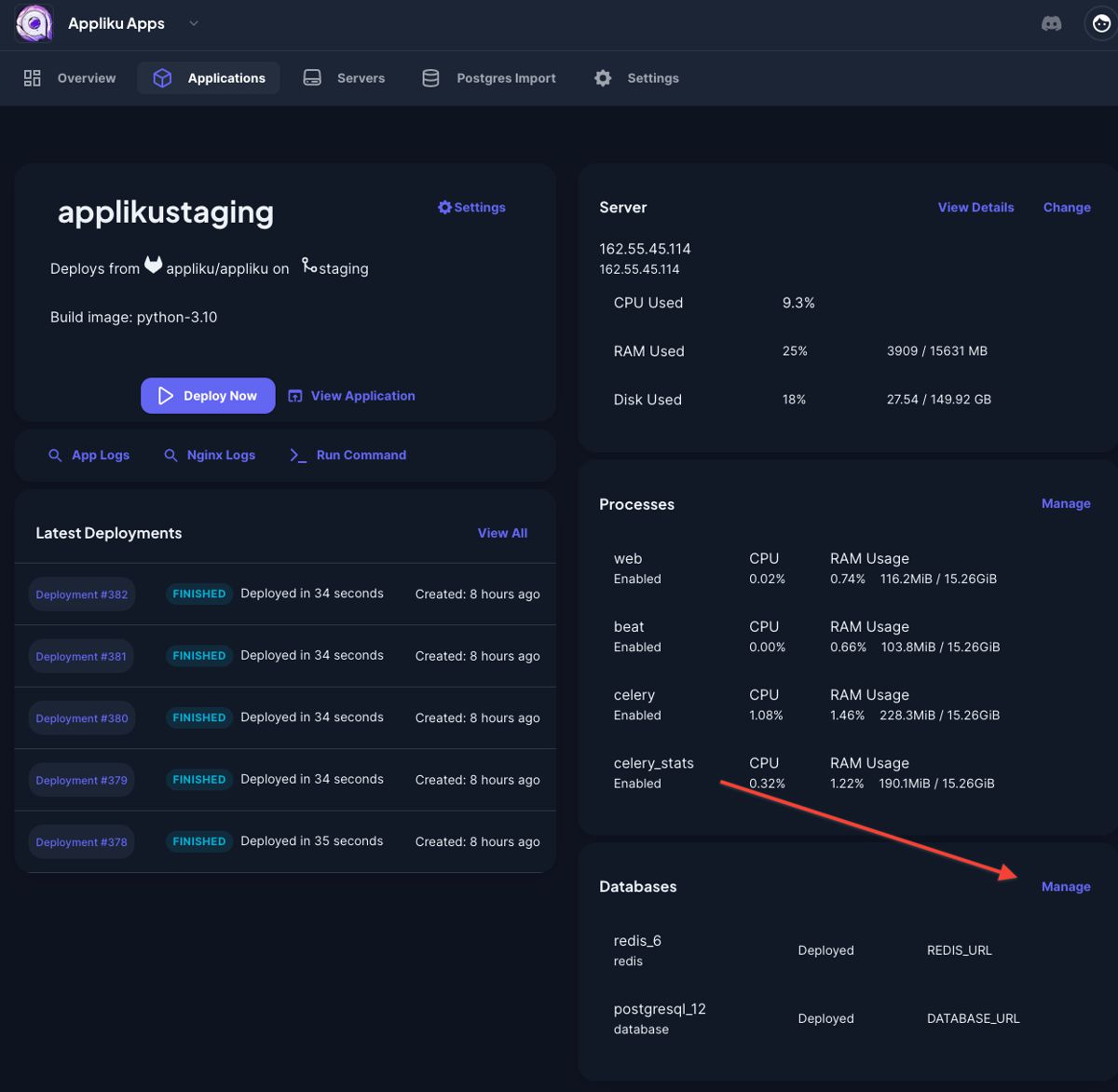
- Click on the "Manage" link in the "Databases" card:
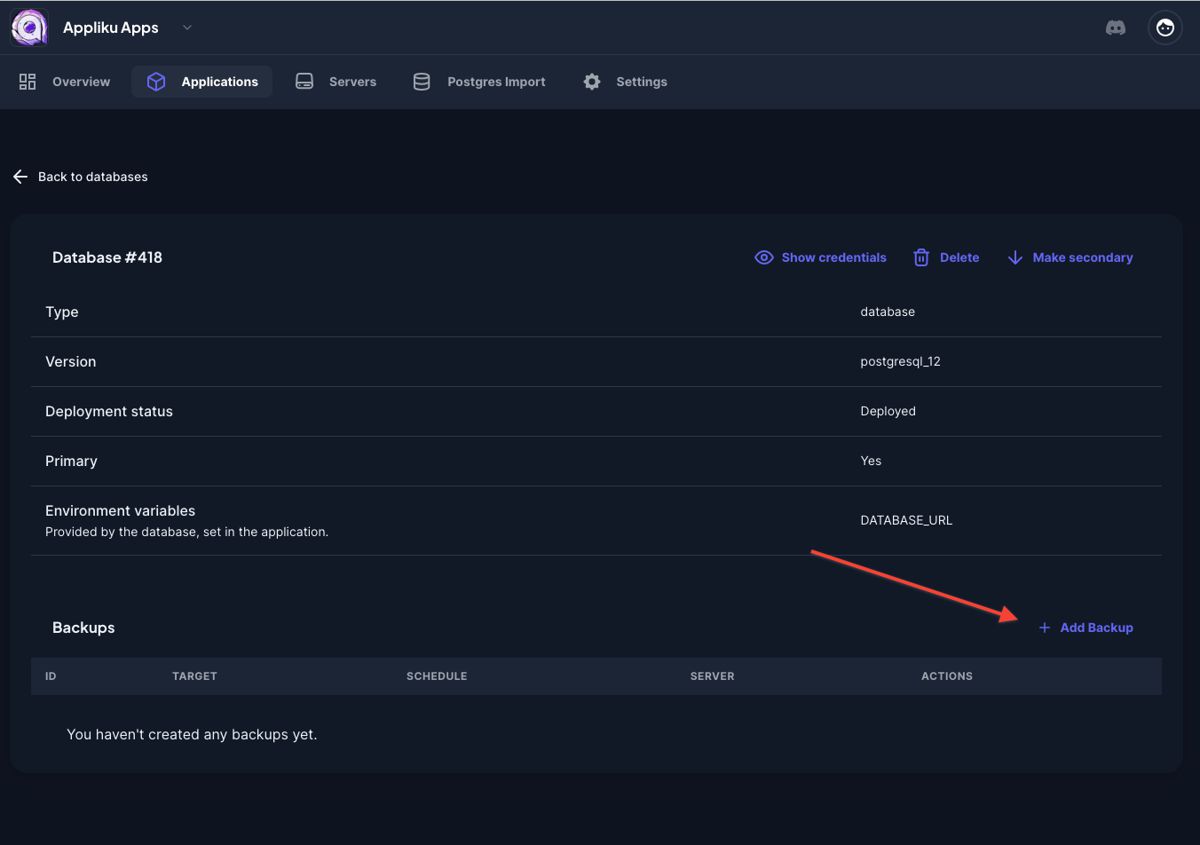
- Pick your database
- Click on the "Add backup" link:
- Specify parameters for the backup:
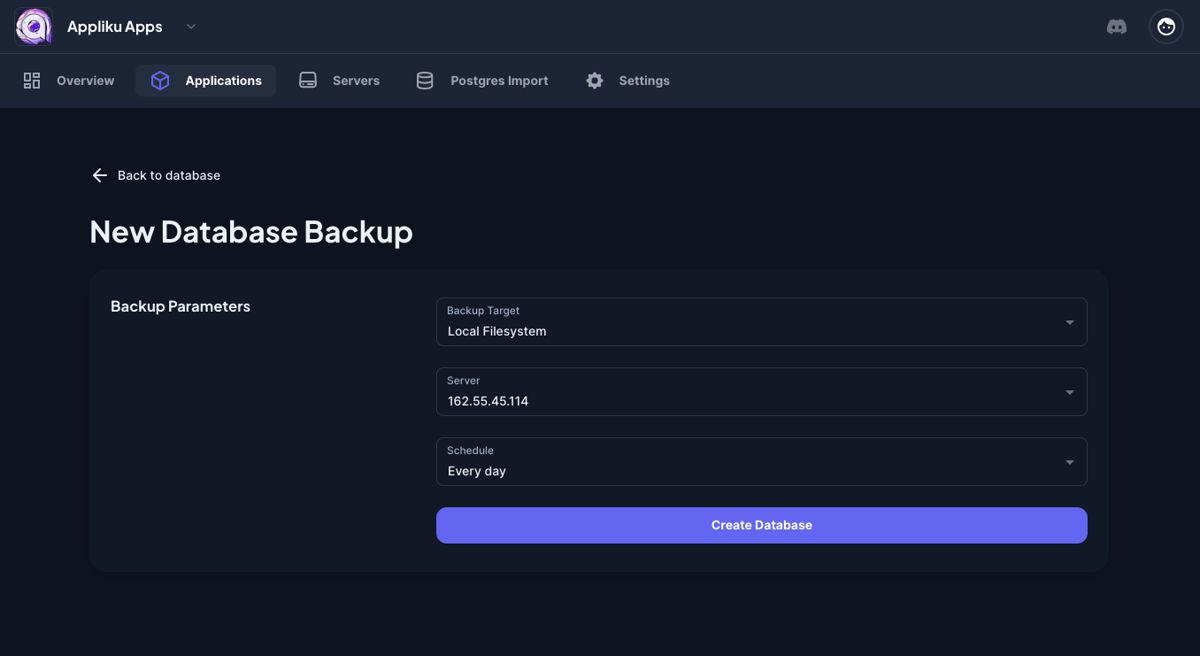
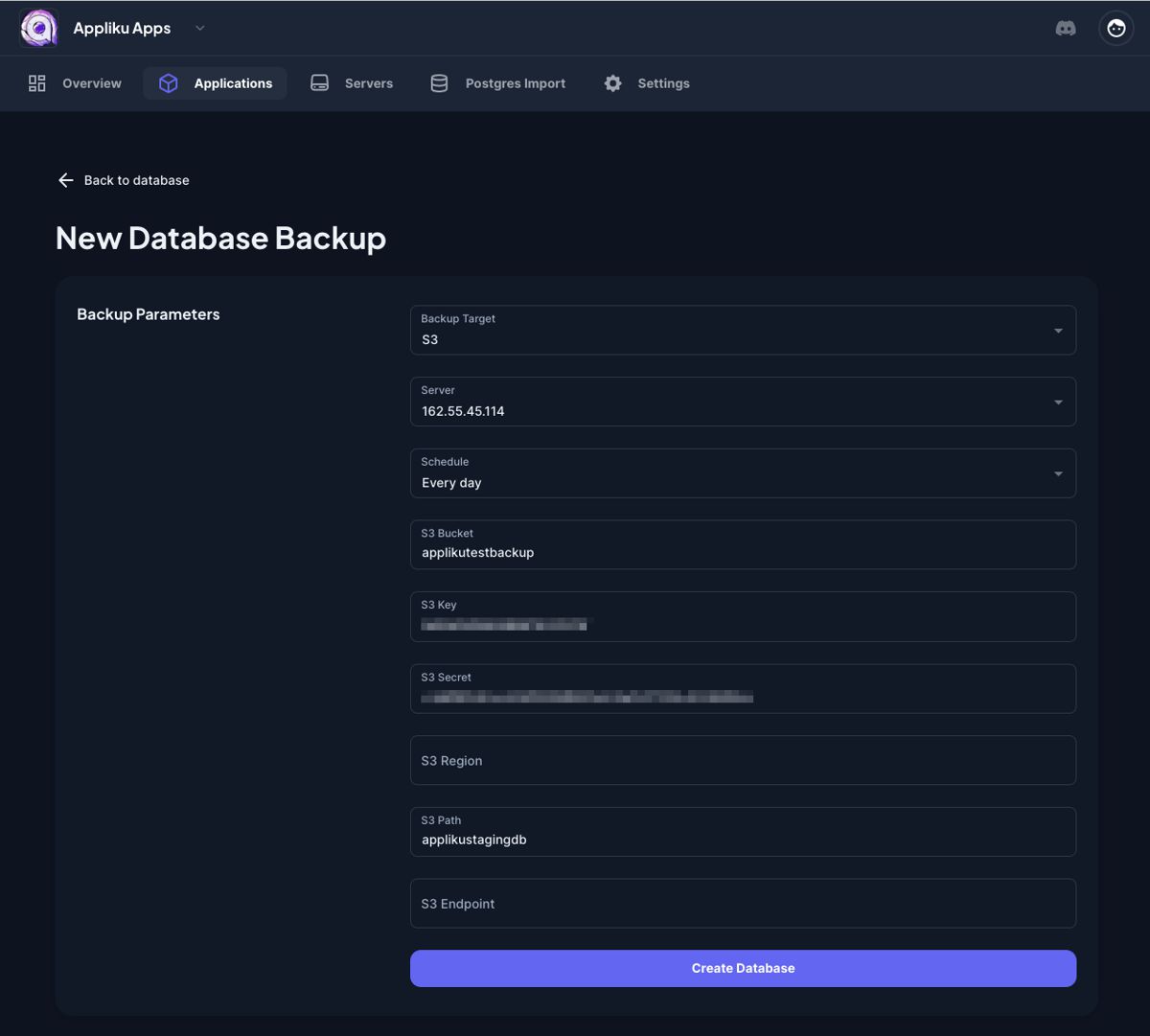
Available schedule intervals range from every 30 minutes to daily. For S3 storage, you'll need to provide your S3 endpoint, bucket name, access key, and secret key.
Local Storage Retention
When using Local Filesystem as the backup target, you can set Keep Last N Backups to automatically delete old backup files and keep only the most recent N copies. For example, setting it to 7 keeps the last 7 backup files and removes older ones.
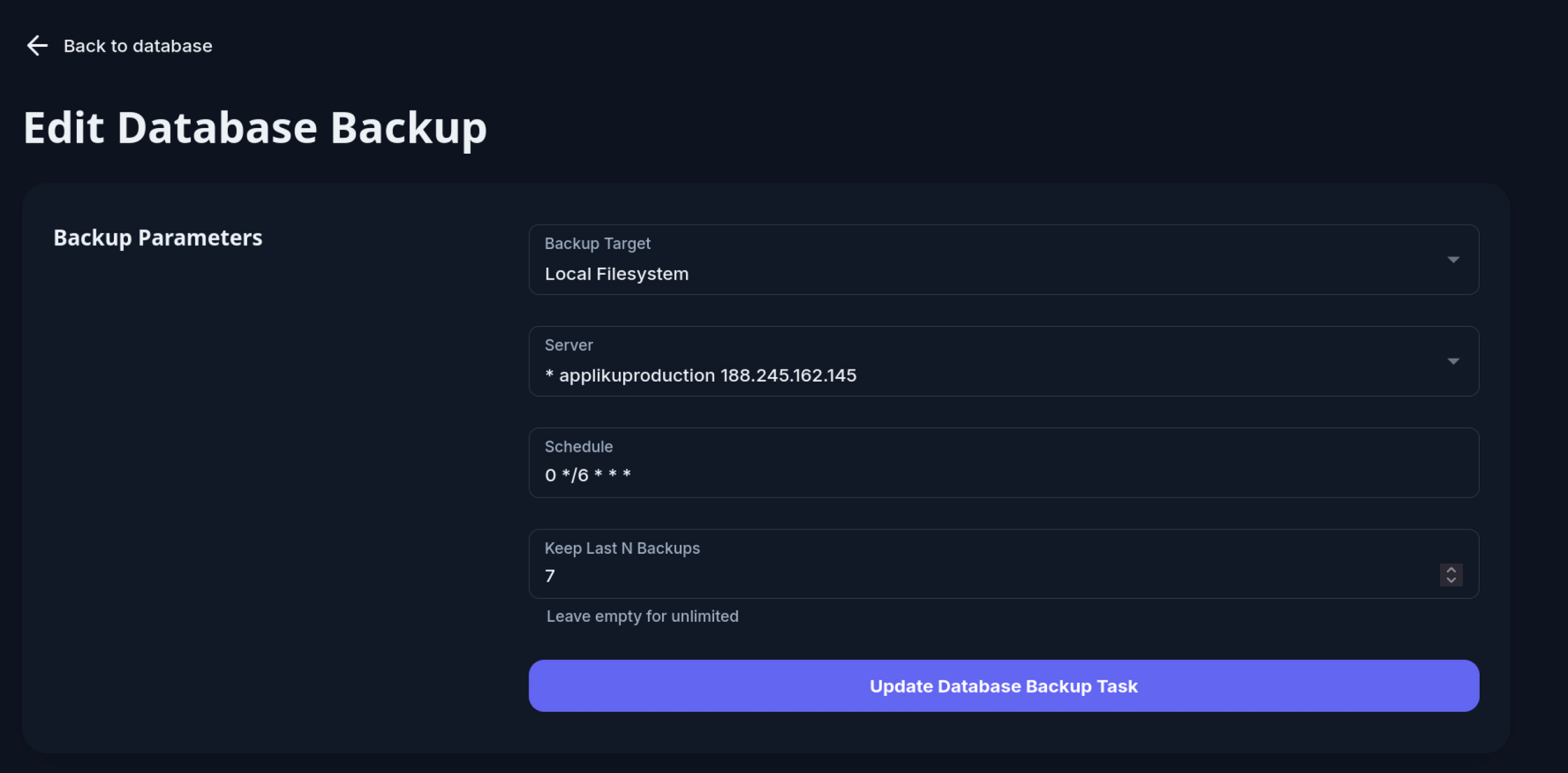
Leave the field empty to keep all backups with no automatic deletion.
Retention is applied automatically every 6 hours by Appliku. Backup files for S3 targets are not affected — those are removed from the server immediately after upload.
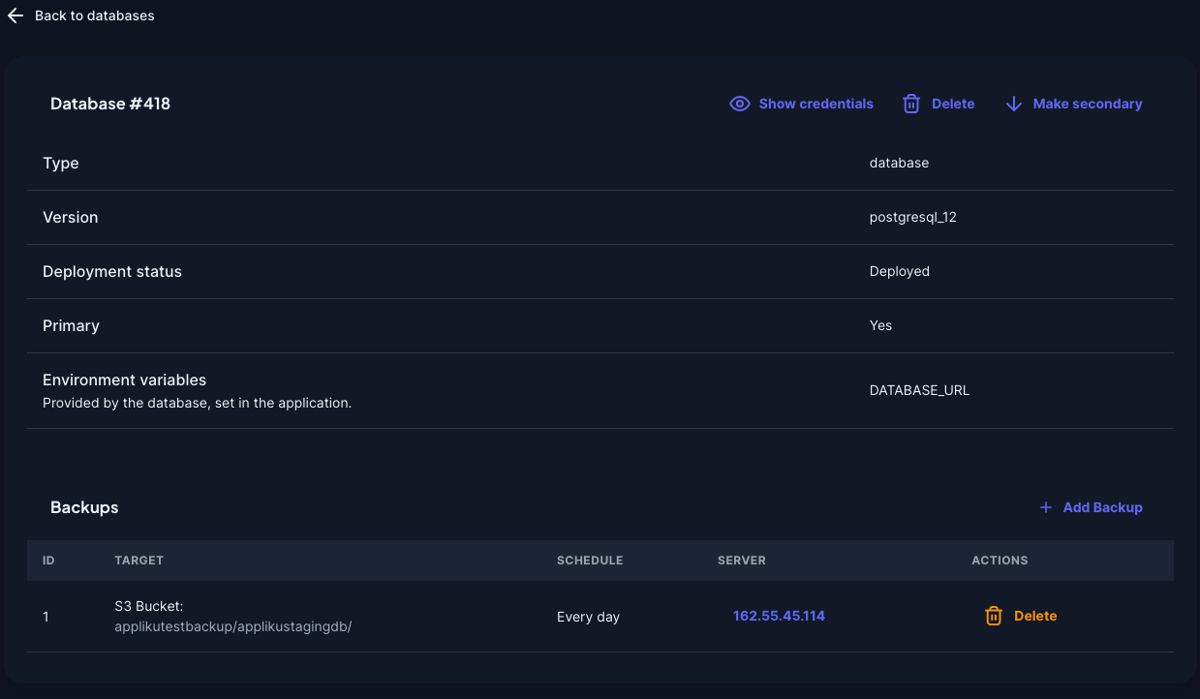
- After submitting the form you will be taken back to the database page with your new backup task:
View Backup Logs and Files
Open a backup task from the backups table to inspect its latest runtime information.
The backup detail page shows the last 200 lines from the backup job log on the server:
/home/app/_cron_logs/backup_job_{backup_id}.log
For Local Filesystem backups, the page also lists the latest compressed backup files from:
/home/app/_backups/{backup_id}/
The file list shows server paths, file sizes, and modification times. S3 backups show the configured bucket and path instead of local server files.
Backup Command Details
The pg_dump command used to perform backups looks like this:
pg_dump --no-privileges --no-owner --no-acl <postgresql_url>
What these arguments do:
--no-privileges— Excludes permissions/privileges from the dump file--no-owner— Excludes ownership information from the dump file--no-acl— Excludes access control lists from the dump file
Backup to File
To store a PostgreSQL backup into a compressed file:
pg_dump --no-privileges --no-owner --no-acl <postgresql_url> | gzip > filename.tar.gz
Backup from Docker Container
Since PostgreSQL runs in a Docker container, the full command looks like this:
docker run --rm --network applications -e DATABASE_URL=<postgres_url> \
  -v /home/app/_backups/{backup_id}:/backup postgres:15 sh -c \
  "pg_dump --no-privileges --no-owner --no-acl \"$DATABASE_URL\" | gzip > /backup/<export_filename>"
What each part does:
docker run --rm— Starts a temporary container that is removed after it exits--network applications— Connects the backup container to the same Docker network as the database-e DATABASE_URL=...— Passes the selected database connection URL into the backup container-v /home/app/_backups/{backup_id}:/backup— Mounts the backup directory from the host into the containerpostgres:15— Uses the official PostgreSQL 15 Docker image- The shell command runs
pg_dump, pipes throughgzip, and saves to the mounted backup directory
Backup Connection Modes
Backups can connect to PostgreSQL in three modes:
- Connection URL uses the public database URL. This mode is available only when external connections are enabled for the database.
- Private Connection URL uses the internal Docker network URL. The backup task must run on the same server as the database.
- Custom lets you provide a PostgreSQL URL manually. If external connections are disabled for the database, the backup task still must run on the database server.
For databases with external connections disabled, new backup tasks default to Private Connection URL and run on the database server.
Restore from Backup
To restore a PostgreSQL database from a backup file:
- Download the backup file
- Uncompress it:
gunzip 23-database-starttest1-2023-04-18_21-51-01.gz
- Import to the database using
psql:
psql <new_postgresql_url> < 23-database-starttest1-2023-04-18_21-51-01